
Most ebook files are in PDF format, so you can easily read them using various software such as Foxit Reader or directly on the Google Chrome browser.
Some ebook files are released by publishers in other formats such as .awz, .mobi, .epub, .fb2, etc. You may need to install specific software to read these formats on mobile/PC, such as Calibre.
Please read the tutorial at this link. https://ebooknice.com/page/post?id=faq
We offer FREE conversion to the popular formats you request; however, this may take some time. Therefore, right after payment, please email us, and we will try to provide the service as quickly as possible.
For some exceptional file formats or broken links (if any), please refrain from opening any disputes. Instead, email us first, and we will try to assist within a maximum of 6 hours.
EbookNice Team
Status:
Available5.0
5 reviews
ISBN 10: 1785283987
ISBN 13: 978-1785283987
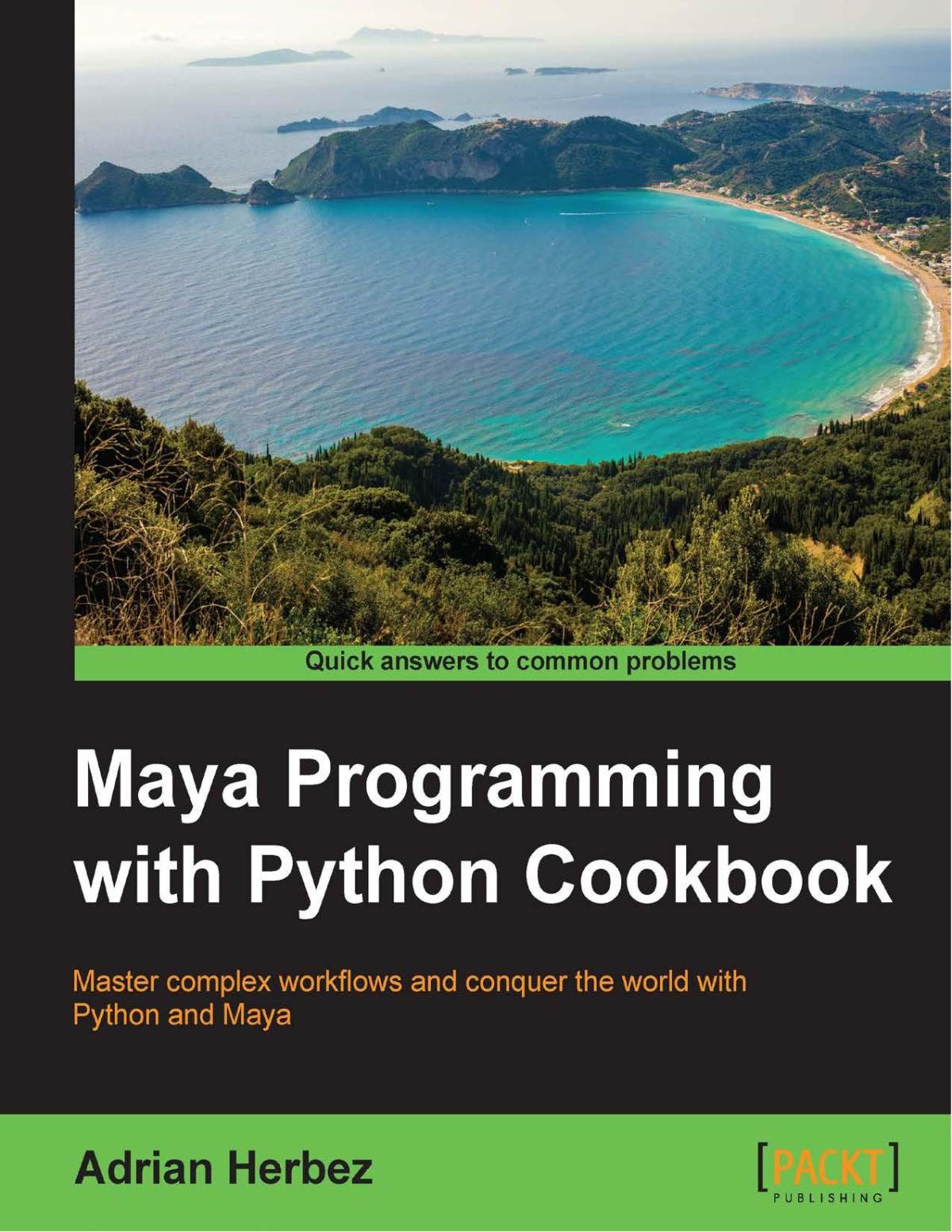
Author: Adrian Herbez
Maya is a 3D graphics and animation software, used to develop interactive 3D applications and games with stupendous visual effects. The Maya Programming with Python Cookbook is all about creating fast, powerful automation systems with minimum coding using Maya Python. With the help of insightful and essential recipes, this book will help you improve your modelling skills. Expand your development options and overcome scripting problems encountered whilst developing code in Maya. Right from the beginning, get solutions to complex development concerns faced when implementing as parts of build.
1. Getting Started with Maya
Introduction
Using the script editor to investigate functionality
How to do it...
How it works...
There's more...
See also
Running code from the script editor
Getting ready
How to do it...
How it works...
There's more...
Importing Maya's built-in Python functionality
How to do it...
How it works...
There's more...
Accessing documentation for a specific command
How to do it...
How it works...
There's more...
Understanding Create, Query, and Edit flags
Getting ready
How to do it...
How it works...
There's more...
See also
Adding custom folders to your script path
How to do it...
How it works...
There's more...
Writing and running an external script
Getting ready
How to do it...
How it works...
There's more...
Calling a MEL script with Python
Getting ready
How to do it...
How it works...
2. Creating User Interfaces
Introduction
Making a basic window
How to do it...
How it works...
There's more...
Simple controls – making a button
How to do it...
How it works...
There's more...
Retrieving input from controls
How to do it...
How it works...
Using classes to organize UI logic
How to do it...
How it works...
There's more...
Using nested layouts
How to do it...
How it works...
There's more...
Using tabs and scrolling
How to do it...
How it works...
There's more...
Adding menus to your UIs
How to do it...
How it works...
There's more...
3. Working with Geometry
Introduction
Working with selected objects and checking node type
How to do it...
How it works...
There's more...
Accessing geometric data in polygonal models
Getting ready
How to do it...
How it works...
There's more...
Accessing geometric data in NURBS objects
Getting ready
How to do it...
How it works...
There's more...
Creating curves
How to do it...
How it works...
There's more...
See also
Creating new polygonal faces
How to do it...
How it works...
There's more...
Creating new modifiers (noise)
How to do it...
How it works...
There's more...
Creating novel primitives (tetrahedron)
Getting ready
How to do it...
How it works...
There's more...
4. Giving Things a Coat of Paint – UVs and Materials
Introduction
Querying UV data
Getting ready
How to do it...
How it works...
Laying out UVs with Python
Getting ready
How to do it...
How it works...
There's more...
See also
Creating shading networks with code
How to do it...
How it works...
There's more...
See also
Applying shaders to objects
Getting ready
How to do it...
How it works...
There's more...
Using shading nodes for non-shading tasks
Getting ready
How to do it...
How it works...
There's more...
5. Adding Controls – Scripting for Rigging
Introduction
Creating skeletons with script
How to do it...
How it works...
There's more...
Setting up set-driven key relationships with script
Getting ready
How to do it...
How it works...
There's more...
Adding custom attributes and locking and hiding attributes
Getting ready
How to do it...
How it works...
There's more...
Setting up inverse kinematics (IK) with script
Getting ready
How to do it...
How it works...
There's more...
6. Making Things Move – Scripting for Animation
Introduction
Querying animation data
Getting ready
How to do it...
How it works...
There's more...
Working with animation layers
How to do it...
How it works...
There's more...
Copying animation from one object to another
Getting ready
How to do it...
How it works...
There's more...
Setting keyframes
Getting ready
How to do it...
How it works...
There's more...
Creating expressions via script
Getting ready
How to do it...
How it works...
There's more...
7. Scripting for Rendering
Introduction
Creating and editing lights
Getting ready
How to do it...
How it works...
There's more...
Creating GUI to control all lights
Getting ready
How to do it...
How it works...
There's more...
Creating cameras from code
Getting ready
How to do it...
How it works...
There's more...
Rendering a sprite sheet
Getting ready
How to do it...
How it works...
There's more...
See also
8. Working with File Input/Output
Introduction
Using the fileDialog2 command to navigate the file system
How to do it...
How it works...
There's more...
Reading text files
Getting ready
How to do it...
How it works...
There's more...
Writing text files
Getting ready
How to do it...
How it works...
There's more...
See also
Writing binary data
Getting ready
How to do it...
How it works...
There's more...
Reading binary data
Getting ready
How to do it...
How it works...
There's more...
Reading multiple types of files
Getting ready
How to do it...
How it works...
There's more...
9. Communicating with the Web
Introduction
Opening a web page from script
How to do it...
How it works...
There's more...
Grabbing data from a server
Getting ready
How to do it...
How it works...
There's more...
Working with XML data
Getting ready
How to do it...
How it works...
Working with JSON data
Getting ready
How to do it...
How it works...
There's more...
See also
Sending POST data to a web server from Maya
Getting ready
How to do it...
How it works...
There's more...
10. Advanced Topics
Introduction
Wrapping Python functionality in MEL
Getting ready
How to do it...
How it works...
There's more...
Creating custom tools using contexts
Getting ready
How to do it...
How it works...
There's more...
Using script jobs to trigger custom functionality
Getting ready
How to do it...
How it works...
There's more...
Using script nodes to embed code in scenes
Getting ready
How to do it...
How it works...
There's more...
Combining script jobs and script nodes
Getting ready
How to do it...
How it works...
There's more...
maya python
maya programming with python cookbook pdf
maya python documentation
maya programming
complete maya programming pdf
Tags: Adrian Herbez, Maya Programming, Python Cookbook
5.0
23 reviews
5.0
19 reviews
4.7
7 reviews
4.3
21 reviews
4.5
7 reviews

5.0
40 reviews
4.7
33 reviews