logo
Product categories

EbookNice.com

Most ebook files are in PDF format, so you can easily read them using various software such as Foxit Reader or directly on the Google Chrome browser.
Some ebook files are released by publishers in other formats such as .awz, .mobi, .epub, .fb2, etc. You may need to install specific software to read these formats on mobile/PC, such as Calibre.

Please read the tutorial at this link.  https://ebooknice.com/page/post?id=faq


We offer FREE conversion to the popular formats you request; however, this may take some time. Therefore, right after payment, please email us, and we will try to provide the service as quickly as possible.


For some exceptional file formats or broken links (if any), please refrain from opening any disputes. Instead, email us first, and we will try to assist within a maximum of 6 hours.

EbookNice Team
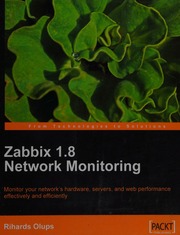
Zabbix 1.8 network monitoring : monitor your network's hardware, servers, and web performance effectively and efficiently by Rihards Olups instant download

  • SKU: EBN-238011924
Zoomable Image
$ 32 $ 40 (-20%)

Status:

Available

4.8

26 reviews
Instant download (eBook) Zabbix 1.8 network monitoring : monitor your network's hardware, servers, and web performance effectively and efficiently after payment.
Authors:Rihards Olups
Pages:updating ...
Year:2010
Publisher:Birmingham, UK : Packt Publishing
Language:english
File Size:24.51 MB
Format:pdf
Categories: Ebooks

Product desciption

Zabbix 1.8 network monitoring : monitor your network's hardware, servers, and web performance effectively and efficiently by Rihards Olups instant download

1 online resource (vii, 410 pages) :, Annotation, Cover; Copyright; Credits; About the Author; About the Reviewers; Table of Contents; Preface; Chapter 1: Getting Started with Zabbix; First steps in monitoring; Zabbix features and architecture; Installation; Server and agent; Software requirements; Hardware requirements; Getting the source; Compilation; Initial configuration; Creating and populating the database; Starting up; SUSE Linux Enterprise Server; Slackware; Verifying the service's state; The Web frontend; Prerequisites and setting up the environment; Installation of the web frontend; Step 1 -- Welcome; Step 2 -- Licence, Step 3 -- PHP prerequisitesStep 4 -- Database access.; Step 5 -- Zabbix server details; Step 6 -- Summary; Step 7 -- Writing the configuration file; Step 8 -- Configuration file in place; Step 9 -- Finishing the wizard; Step 10 -- Logging in; Summary; Chapter 2: Getting Your First Notification; Exploring the frontend; Monitoring quickstart; Creating a host; Creating an item; Introducing simple graphs; Creating triggers; Configuring e-mail parameters; Creating an action; Information flow in Zabbix; Let's create some load; Basic item configuration; Monitoring categories; Availability; Performance, SecurityManagement; Efficiency; Item types; How items can be monitored; Summary; Chapter 3: Monitoring with Zabbix Agents and Basic Protocols; Using Zabbix agent; Passive items; Cloning items; Active items; Supported items; Simple checks; Setting up ICMP checks; Tying it all together; Positional parameters for item descriptions; Using mass update; Value mapping; Copying items; Summary; Chapter 4: Monitoring SNMP and IPMI Devices; Simple Network Management Protocol; Using Net-SNMP; Using SNMPv3 with Net-SNMP; Adding new MIBs; Working with SNMP items in Zabbix; Translating SNMP OIDs, Dynamic indexesReceiving SNMP traps; Trap handling schemes; Intelligent Platform Management Interface; Dell Remote Access Controller; Preparing Zabbix for IPMI querying;
*Free conversion of into popular formats such as PDF, DOCX, DOC, AZW, EPUB, and MOBI after payment.

Related Products