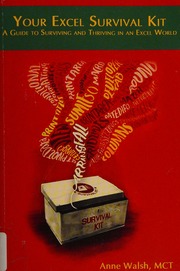
Your Excel Survival Kit : Your Guide to Surviving and Thriving in an Excel world by Walsh, Anne ISBN 9781615472291, 9781615473526, 9781615470457, 1615472290, 1615473521, 161547045X instant download
1 online resource (179 pages), You have just been promoted into a job that requires more Excel skills than ever. You are floundering, drowning in a sea of spreadsheets. This book walks you through in an easy accessible way-vlookups, pivot tables, Power Query, and Power Pivot. The Excel Survival Kit is small enough to slip into your purse, Print version record, Front Cover; Title Page; Copyright; Table of Contents; About the Author; Dedication; Acknowledgements; Introduction; Who This Book Is For; What This Book Covers; Typographical Conventions and Special Elements; Chapter 1 -- Back to Basics: What Do You Know Already?; Data Entry Tips and Tricks; Dropping Your Dread of Formulas; Getting to Know the Common Excel Functions; Understanding the Copying Functions; Rolling in the Worksheets; Printing in Excel; Charts, Charts, Charts; Keyboard Navigation; Summary; Chapter 2 Getting Your Data Together: Catching Your File, Creating a Spreadsheet List from ScratchGetting Data from a Data Dump; Sorting and Filtering; Summary; Chapter 3 Further Cleaning, Slicing, and Dicing; Removing/Completing Blank Columns/Rows/Cells; Cleaning, Combining, and Amending Existing Data; Extracting Specific Pieces of Data from a Cell to Refine a Data Set; Using the Iferror() Function; Summary; Chapter 4 The Vlookup() Function: An Excel Essential; Understanding the Vlookup() Function Syntax; Troubleshooting Vlookup(): Dealing with #N/A Errors; Understanding When to Use Vlookup(); How to Solve Common Vlookup() Problems; Summary, Chapter 5 Creating Pivot TablesAssembling Data for a Pivot Table; Creating Your First Pivot Table; Understanding Summarize Values By; Tidying Up the Numbers in a Pivot Table; Refreshing Data in a Pivot Table; Grouping by Dates; Grouping by Amounts; Showing Values As; Using Report Filters; Setting Up Slicers (but Only if You Have Excel 2010 or Later); Changing Pivot Table Layout; Adding a Chart; Adding Conditional Formatting; Troubleshooting Pivot Tables; Summary; Chapter 6
*Free conversion of into popular formats such as PDF, DOCX, DOC, AZW, EPUB, and MOBI after payment.