Most ebook files are in PDF format, so you can easily read them using various software such as Foxit Reader or directly on the Google Chrome browser.
Some ebook files are released by publishers in other formats such as .awz, .mobi, .epub, .fb2, etc. You may need to install specific software to read these formats on mobile/PC, such as Calibre.
Please read the tutorial at this link. https://ebooknice.com/page/post?id=faq
We offer FREE conversion to the popular formats you request; however, this may take some time. Therefore, right after payment, please email us, and we will try to provide the service as quickly as possible.
For some exceptional file formats or broken links (if any), please refrain from opening any disputes. Instead, email us first, and we will try to assist within a maximum of 6 hours.
EbookNice Team
Status:
Available5.0
19 reviewsISBN 10: 1119264367
ISBN 13: 9781119264361
Author: Eben Upton, Gareth Halfacree
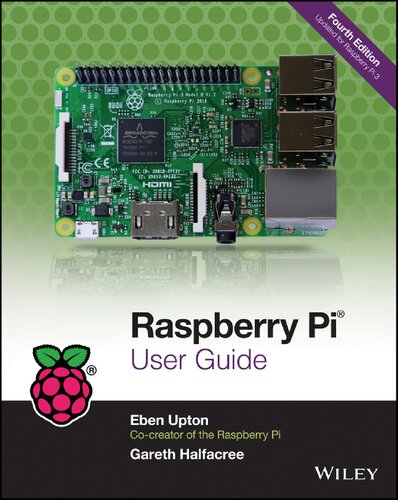
Raspberry Pi User Guide, 4th Edition is the "unofficial official" guide to everything Raspberry Pi 3. Written by the Pi's creator and a leading Pi guru, this book goes straight to the source to bring you the ultimate Raspberry Pi 3 manual. This new fourth edition has been updated to cover the Raspberry Pi 3 board and software, with detailed discussion on its wide array of configurations, languages, and applications. You'll learn how to take full advantage of the mighty Pi's full capabilities, and then expand those capabilities even more with add-on technologies. You'll write productivity and multimedia programs, and learn flexible programming languages that allow you to shape your Raspberry Pi into whatever you want it to be. If you're ready to jump right in, this book gets you started with clear, step-by-step instruction from software installation to system customization.
Part I: The Board
Chapter 1: Meet the Raspberry Pi
A Trip Around the Board
Model A/B
Model A+/B+
Raspberry Pi 2
Raspberry Pi 3
Raspberry Pi Zero
A Bit of Background
Chapter 2: Getting Started with the Raspberry Pi
Connecting a Display
Connecting Audio
Connecting a Keyboard and Mouse
Installing NOOBS on an SD Card
Connecting External Storage
Connecting the Network
Connecting Power
Installing the Operating System
Connecting Bluetooth Devices
Chapter 3: Linux System Administration
Linux: An Overview
Linux Basics
Introducing Raspbian
Using External Storage Devices
Creating a New User Account
Installing and Uninstalling Software
Shutting the Pi Down Safely
Chapter 4: Troubleshooting
Keyboard and Mouse Diagnostics
Power Diagnostics
Display Diagnostics
Boot Diagnostics
Network Diagnostics
Chapter 5: Network Configuration
Wired Networking
Wireless Networking
Chapter 6: The Raspberry Pi Configuration Tool
Running the Tool
The System Tab
The Interfaces Tab
Performance
Localisation
Chapter 7: Advanced Raspberry Pi Configuration
Editing Configuration Files via NOOBS
Hardware Settings: config.txt
Disabling L2 Cache
Memory Partitioning
Software Settings: cmdline.txt
Part II: Building a Media Centre or Productivity Machine
Chapter 8: The Pi as a Home Theatre PC
Playing Music at the Console
Dedicated HTPC with OSMC
Chapter 9: The Pi as a Productivity Machine
Using Cloud-Based Apps
Using LibreOffice
Image Editing with the Gimp
Part III: Programming the Pi
Chapter 10: An Introduction to Scratch
Introducing Scratch
Example 1: Hello World
Example 2: Animation and Sound
Example 3: A Simple Game
Interfacing Scratch with Hardware
Further Reading
Chapter 11: An Introduction to Python
Introducing Python
Example 1: Hello World
Example 2: Comments, Inputs, Variables, and Loops
Example 3: Gaming with pygame
Example 4: Python and Networking
Further Reading
Chapter 12: Minecraft Pi Edition
Introducing Minecraft Pi Edition
Installing Minecraft
Running Minecraft
Exploration
Hacking Minecraft
Part IV: Hardware Hacking
Chapter 13: Learning to Hack Hardware
Electronic Equipment
Reading Resistor Colour Codes
Sourcing Components
Moving Up from the Breadboard
A Brief Guide to Soldering
Chapter 14: The GPIO Port
Identifying Your Board Revision
GPIO Pinout Diagrams
GPIO Features
Using the GPIO Port in Python
Soldering the Raspberry Pi Zero's GPIO Header
Chapter 15: The Raspberry Pi Camera Module
Why Use the Camera Module?
Choosing a Camera Module
Installing the Camera Module
Enabling Camera Mode
Capturing Stills
Recording Video
Command-Line Time-Lapse Photography
Chapter 16: Add-On Hardware
Official Raspberry Pi Case
Raspberry Pi 7" Touchscreen Display
Sense HAT
raspberry pi user guide
raspberry pi user guide pdf
eben upton raspberry pi book
gareth halfacree raspberry pi
raspberry pi beginner guide
Tags: Raspberry, User Guide, Eben Upton, Gareth Halfacree
5.0
36 reviews
5.0
12 reviews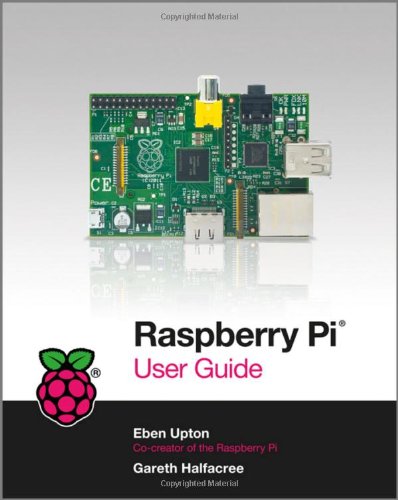
4.4
5 reviews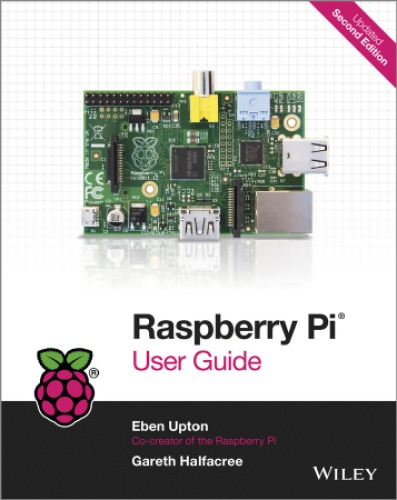
5.0
20 reviews
4.6
18 reviews
5.0
6 reviews
4.5
41 reviews