logo
Product categories

EbookNice.com

Most ebook files are in PDF format, so you can easily read them using various software such as Foxit Reader or directly on the Google Chrome browser.
Some ebook files are released by publishers in other formats such as .awz, .mobi, .epub, .fb2, etc. You may need to install specific software to read these formats on mobile/PC, such as Calibre.

Please read the tutorial at this link.  https://ebooknice.com/page/post?id=faq


We offer FREE conversion to the popular formats you request; however, this may take some time. Therefore, right after payment, please email us, and we will try to provide the service as quickly as possible.


For some exceptional file formats or broken links (if any), please refrain from opening any disputes. Instead, email us first, and we will try to assist within a maximum of 6 hours.

EbookNice Team
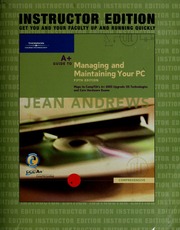
A+ guide to managing and maintaining your PC : instructor edition by Andrews, Jean, 1946- instant download

  • SKU: EBN-239708600
Zoomable Image
$ 32 $ 40 (-20%)

Status:

Available

4.4

17 reviews
Instant download (eBook) A+ guide to managing and maintaining your PC : instructor edition after payment.
Authors:Andrews, Jean, 1946-
Pages:updating ...
Year:2004
Edition:5th ed., Comprehensive.
Publisher:Boston, Mass. : Course Technology
Language:english
File Size:54.29 MB
Format:pdf
Categories: Ebooks

Product desciption

A+ guide to managing and maintaining your PC : instructor edition by Andrews, Jean, 1946- instant download

ch. 1. Introducing hardware -- ch. 2. How hardware and software work together -- ch. 3. Understanding the boot process and command line -- ch. 4. Electricity and power supplies -- ch. 5. The motherboard -- ch. 6. Managing memory -- ch. 7. Floppy drives -- ch. 8. Understanding and installing hard drives -- ch. 9. Optimizing and protecting hard drives -- ch. 10. Supporting I/O devices -- ch. 11. Multimedia devices and mass storage -- ch. 12. Supporting Windows 9x -- ch. 13. Understanding and installing Windows 2000 and Windows NT -- ch. 14. Managing and troubleshooting Windows 2000 -- ch. 15. Installing and using Windows XP Professional -- ch. 16. Managing and supporting Windows XP -- ch. 17. Supporting modems -- ch. 18. PCs on a network -- ch. 19. PCs on the Internet -- ch. 20. Notebooks, Tablet PCs, and PDAs -- ch. 21. Supporting printers -- ch. 22. All about SCSI (Small computer system interface) -- ch. 23. Purchasing a PC or building your own -- ch. 24. Troubleshooting and maintenance fundamentals -- App. A. Error messages and their meanings -- App. B. ASCII character set and Ansi.sys -- App. C. The hexidecimal number system and memory addressing -- App. D. FAT details -- App. E. Electricity and multimeters -- App. F. The professional PC technician -- App. G. Introducing Linux
*Free conversion of into popular formats such as PDF, DOCX, DOC, AZW, EPUB, and MOBI after payment.

Related Products