logo
Product categories

EbookNice.com

Most ebook files are in PDF format, so you can easily read them using various software such as Foxit Reader or directly on the Google Chrome browser.
Some ebook files are released by publishers in other formats such as .awz, .mobi, .epub, .fb2, etc. You may need to install specific software to read these formats on mobile/PC, such as Calibre.

Please read the tutorial at this link.  https://ebooknice.com/page/post?id=faq


We offer FREE conversion to the popular formats you request; however, this may take some time. Therefore, right after payment, please email us, and we will try to provide the service as quickly as possible.


For some exceptional file formats or broken links (if any), please refrain from opening any disputes. Instead, email us first, and we will try to assist within a maximum of 6 hours.

EbookNice Team
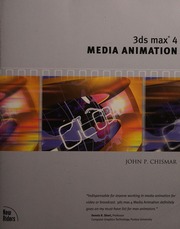
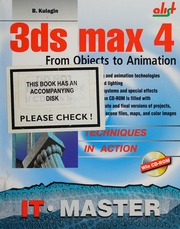
3ds Max 4 media animation by Chismar, John P instant download

  • SKU: EBN-238508040
Zoomable Image
$ 32 $ 40 (-20%)

Status:

Available

4.9

39 reviews
Instant download (eBook) 3ds Max 4 media animation after payment.
Authors:Chismar, John P
Pages:updating ...
Year:2001
Edition:Pap/Cdr edition
Publisher:Indianapolis : New Riders
Language:english
File Size:35.64 MB
Format:pdf
Categories: Ebooks

Product desciption

3ds Max 4 media animation by Chismar, John P instant download

xviii, 570 p. : 23 cm. +, Funhouse -- Erecting the Simple Billboard Objects -- Creating the Shapes -- Setting Up the Flaming Billboard Backdrop -- Working with the Clown's Body -- Creating the Clown Hands -- Building the Clown's Head -- Finishing the Billboard -- Building the Funhouse Type -- Creating the Type Objects -- Painting the Funhouse Type Objects -- Finishing the Billboard -- Working with the Billboard -- Creating the Lighting Fixtures and the Billboard Post and Applying the Lighting -- Creating the Funhouse Environment and Special Effects -- Setting Up the Funhouse Environment -- Creating the Camera Animation -- Creating the Background Environment -- Adding Special Effects -- Tweaking the Scene -- Brightening the Colors of the Billboard -- Illuminating the Funhouse Type -- Finishing the Funhouse Animation -- Animating the Head Object -- Animating the Hands -- Animating the Lights -- Smashing the Bulb -- Adding Lightning -- Rendering the Animation -- 2002 Vote Machine -- Building the Vote Machine -- Using an Adobe Illustrator File to Create the 2002 Vote Machine -- Correcting Problems That Occur in Imported Files -- Scaling and Neatening the Imported Shape -- Improving the Screen -- Adjusting the Vertices in the Body -- Working on the Back Foot -- Fixing the Legs, Keyboard, and Remaining Feet -- Assembling the 2002 Vote Machine -- Putting the Objects Together -- The Body Object -- The Legs -- The Keyboard -- The Monitor -- The Armature -- Attaching the Keyboard to the Body -- Attaching the Monitor to the Body -- Creating the Monitor Armature Hierarchy -- Adding Materials to the Vote Machine and Creating the Environment -- Adding Materials to the Vote Machine -- Creating the Metal Material for the Body of the Vote Machine -- Creating the Material for the Faceplate of the Vote Machine -- Creating the Material for the Monitor Screen -- Creating the 2002 VOTE Environment -- Finishing the Hierarchy -- Instancing the Vote Machine -- Creating the Circle Star…
*Free conversion of into popular formats such as PDF, DOCX, DOC, AZW, EPUB, and MOBI after payment.

Related Products

-20%

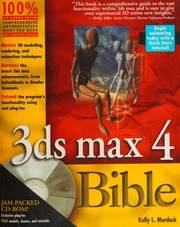
3ds max 4 bible by Murdock, Kelly instant download

4.3

35 reviews
$40 $32