
Most ebook files are in PDF format, so you can easily read them using various software such as Foxit Reader or directly on the Google Chrome browser.
Some ebook files are released by publishers in other formats such as .awz, .mobi, .epub, .fb2, etc. You may need to install specific software to read these formats on mobile/PC, such as Calibre.
Please read the tutorial at this link. https://ebooknice.com/page/post?id=faq
We offer FREE conversion to the popular formats you request; however, this may take some time. Therefore, right after payment, please email us, and we will try to provide the service as quickly as possible.
For some exceptional file formats or broken links (if any), please refrain from opening any disputes. Instead, email us first, and we will try to assist within a maximum of 6 hours.
EbookNice Team
Status:
Available4.4
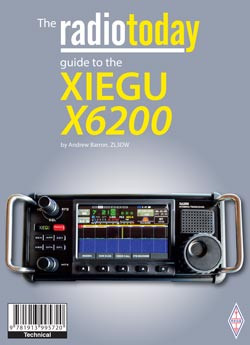
35 reviewsAs usual, the radiotoday guide to the Xeigu X6200 is 'how-to-do-it' book which describes how to set up and use the transceiver, including helpful guidance to the many features that are not included in the sales information or the supplied manual. The X6200 does require some initial configuration, especially if you want to use external digital mode software such as WSJT-X (FT8), MixW, CW Skimmer, or MRP40 and you can find that information here. Andrew has also included details on the WiFi and Bluetooth connections along with updating the radio firmware, loading the Windows driver software for the USB cable connection, and connecting the radio to your PC, to name but a few of the helpful tips this book contains.

4.6
26 reviews
4.9
26 reviews
4.3
18 reviews
4.7
18 reviews
5.0
22 reviews
4.9
14 reviews
4.9
25 reviews
4.6
28 reviews